
Information for guests
Below you'll find all the information you need for your stay.
How to adjust the heating
- Click on the temperature in the display;
- Swipe left;
- Increase/decrease the temperature using the red and blue arrows on the right.
The manual adjustment remains active for 12 hours, after which it automatically returns to the preset temperature of 21°C.
If you require a different setup, simply send a WhatsApp message to +39 370 710 7121.
How to use an induction cooktop
- Press the power button at the bottom center;
- Click on the + symbol at the bottom left or right of the burner you wish to use until you set the desired power.
You can turn on more than one burner at the same time. Once you are finished, simply click the on/off button again.
How to activate the water dispensers in the shower
- Press one of the two buttons at the top, or both, to turn on the water.
- Adjust the water flow by turning the two smaller buttons to the left or right.
- Adjust the water temperature by turning the larger knob to the left or right.
- Turn off the water by pressing the button or small buttons activated at the beginning again.
How to use the boot warmer
The boot dryer operates on a timer: simply press the button labeled "boot dryer" next to the light switch once to dry and warm your boots perfectly.
The cellars also serve as ski rooms: you can conveniently hang your skis there.
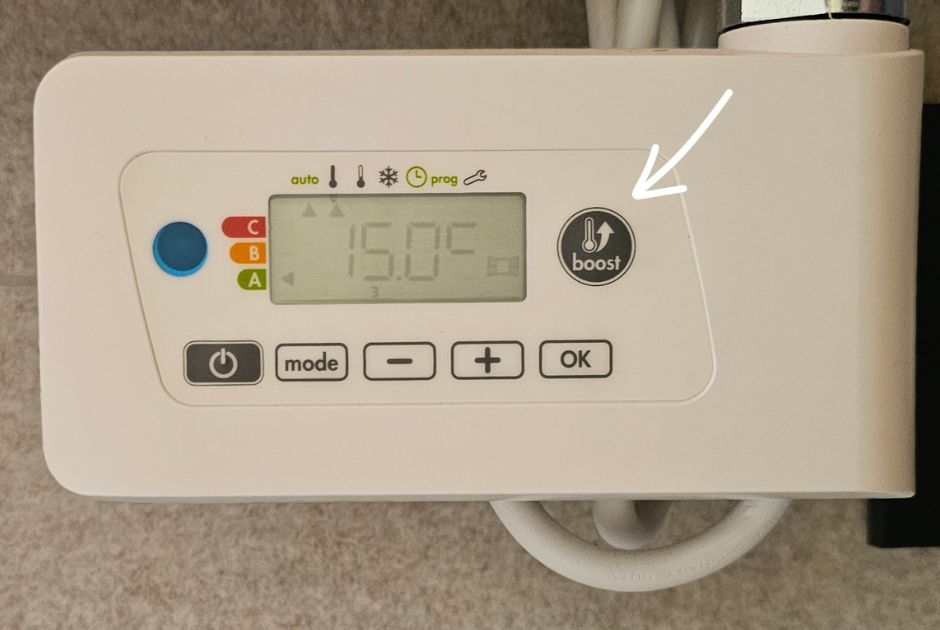
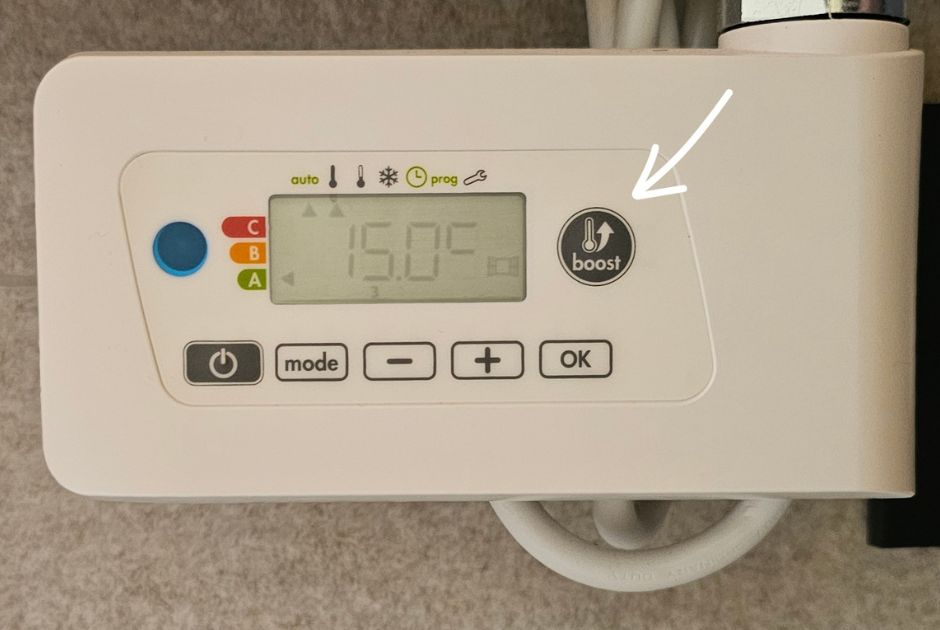
How to use the towel warmer
To activate the towel warmer, simply press the button labeled "boost" to the right of the display.
How to open the sofa bed
To open the sofa bed, simply pull the backrest toward you.
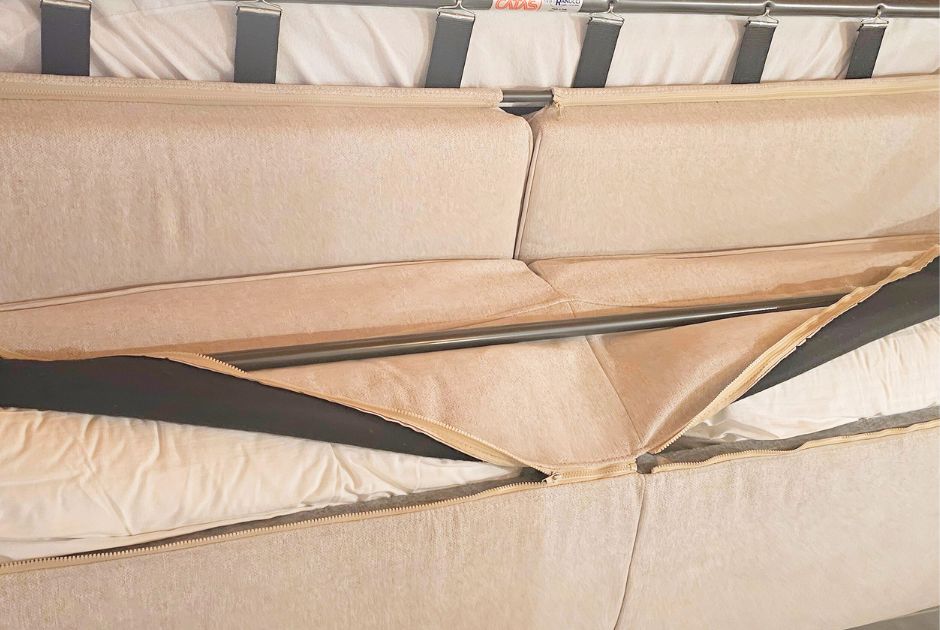
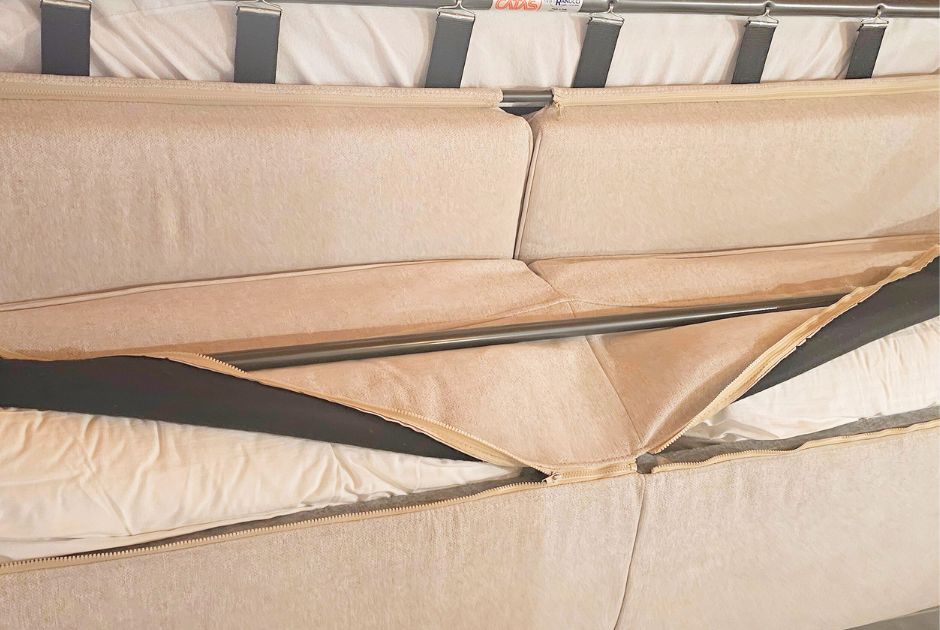
Where to find cushions for your sofa bed
The pillows are located inside the sofa bed. Open the two zippers that you will see under the backrest once you have followed the instructions above.
How to access the Wi-Fi network
You can access free Wi-Fi in the apartments.
Ground floor network: VillaCaterina1
Password: Caterina1
First floor network: VillaCaterina2
Password: Caterina2

How to access your Disney+ account
In the apartments, you will have access to a Disney+ account. Simply select the "Villa Caterina" profile once you have logged in.
Parking instructions
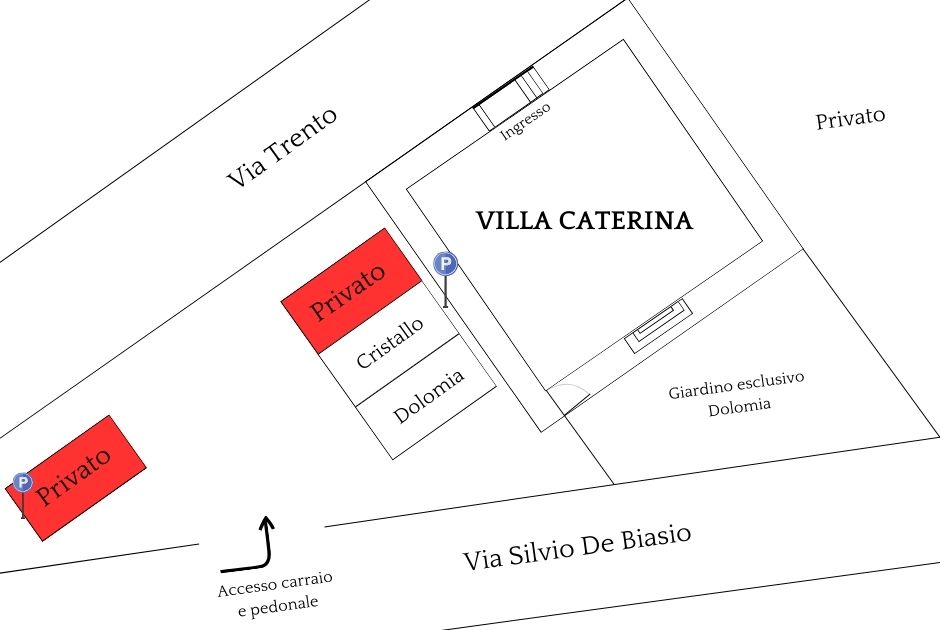
Access to Villa Caterina, both for pedestrians and vehicles, is located on Via Silvio de Biasio.
Each apartment has one parking space. The availability of a second parking space depends on occupancy and must always be requested from the agency.
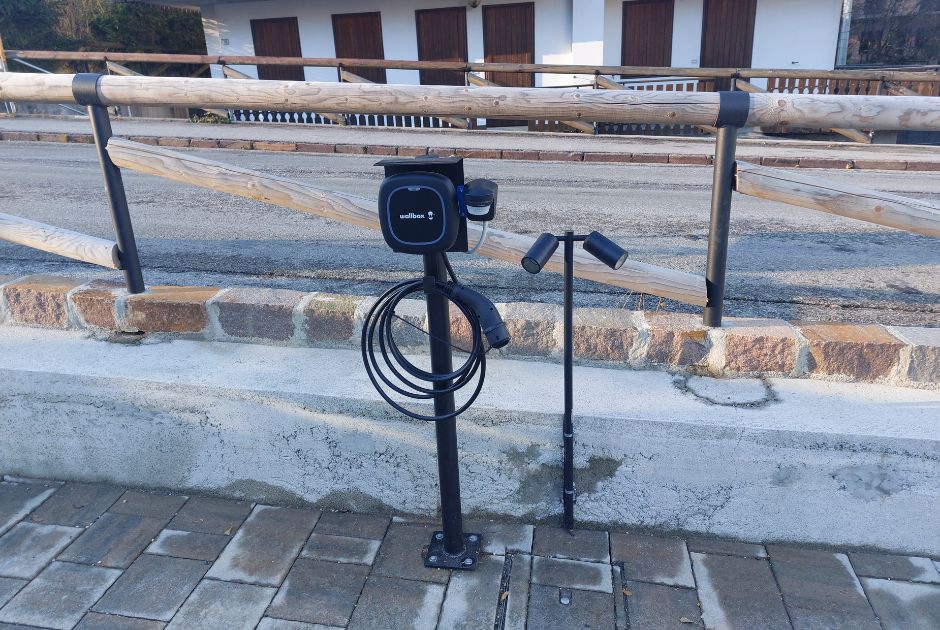
Wallbox
Those who need to recharge their electric car must submit a request to the Dolomitissime agency or send a WhatsApp message to 3707107121. The cost of recharging is €0.50/kWh and must be paid to the agency during check-out.
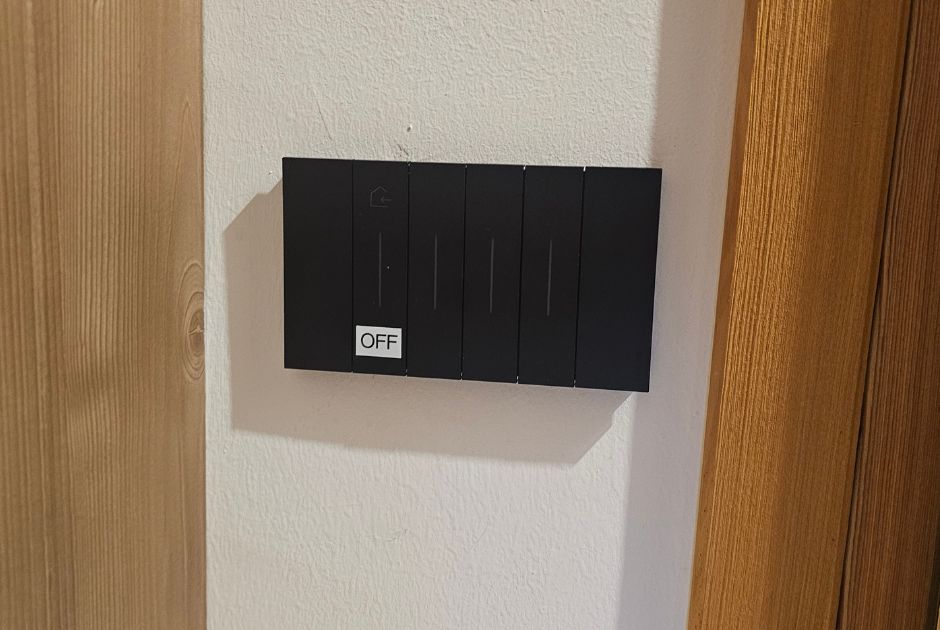
Lights out
By pressing the OFF button before leaving the house, all the lights in the apartment will turn off.

For guests traveling with their four-legged friends
To ensure a pleasant stay for everyone and to preserve the indoor and outdoor areas, it is strictly prohibited to allow pets to relieve themselves in the property’s garden; therefore, please do not let them roam freely without supervision. Please also do not allow dogs on the sofa or beds.
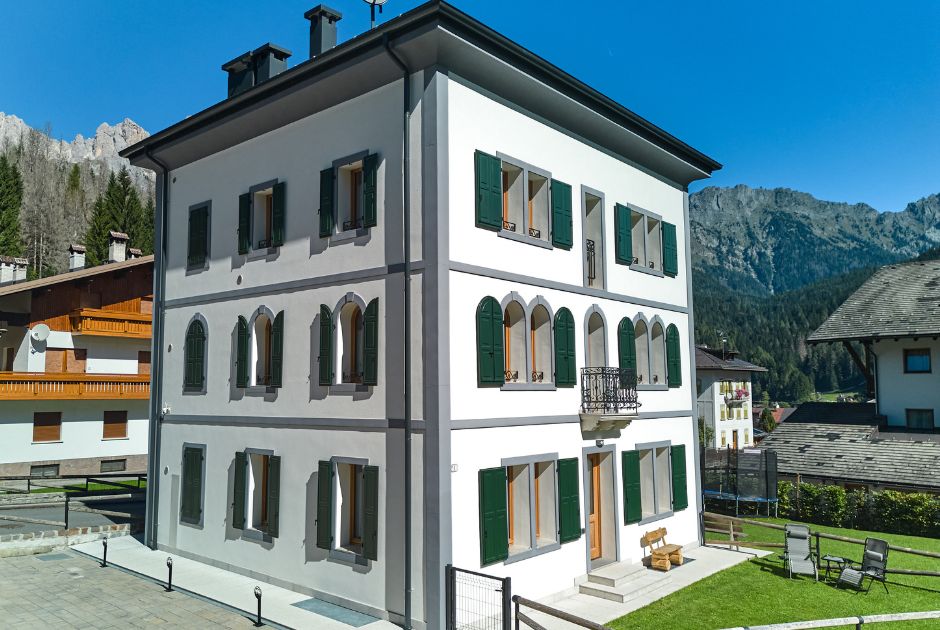
Balconies
To prevent damage in the event of sudden wind, please leave the balconies either completely closed or completely open.

For smokers
Please use the outdoor areas and do not throw cigarette butts on the ground. Please note that any violations may result in the forfeiture of your deposit.
CIN Dolomia: IT025019B4E56W8KEL | CIN Cristallo: IT025019B4DLVZ4CJY